
Friends
Once you add friends, you can challenge them straight away, compete with them on a friend ranking and see who is online. Friends are for logged-in players only.
Contents Friends
Friends Lounge
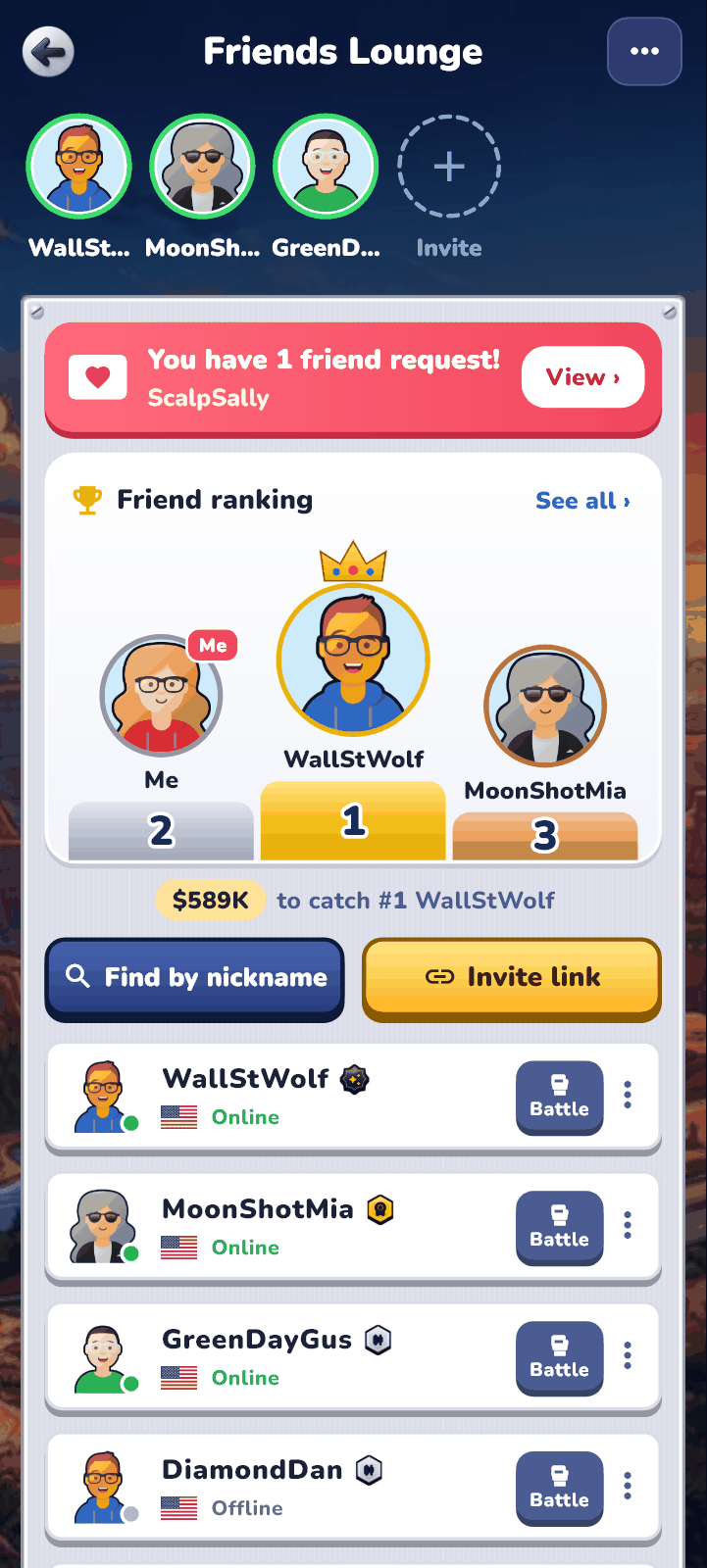
Open it with the friends button at the top right of your panel in the lobby. A red number appears on the button when you have friend requests.
- The top row shows friends who are online now. Use “Invite” to invite friends.
- A red band appears when you have friend requests. Tap “View” to “Accept” or “Decline”.
- “Friend ranking” shows the top three among you and your friends, and how far you are from the friend just above you.
- The friends list shows each friend’s tier, current country and whether they are online. Online friends come first.
- The menu at the top right holds your sent requests and the “Blocked list”.
Adding friends
- “Find by nickname” — type the full nickname exactly to find someone. Upper and lower case do not matter.
- From a player card — tap a name on the Leaderboard or in the past matches on “My Profile” to open their player card, then tap “Add friend”.
- With a trial link — when a friend who played through your trial link signs up, you become friends at once (see “Inviting with a link” below).
- You become friends when the other player taps “Accept”. If you both sent each other a request, you become friends right away.
Unfriending, blocking and reporting
- “Unfriend” — your match record with that friend is kept and continues if you become friends again.
- “Block” — ends the friendship, and neither of you can find or add the other. You can undo it in the “Blocked list”.
- “Report nickname” — tells the team about an abusive or impersonating nickname. You can report the same player once a day.
Friend matches
Play one-on-one against a friend. A match follows the same rules as a Real Match, but it is a friendly: the result does not touch your real assets.
-
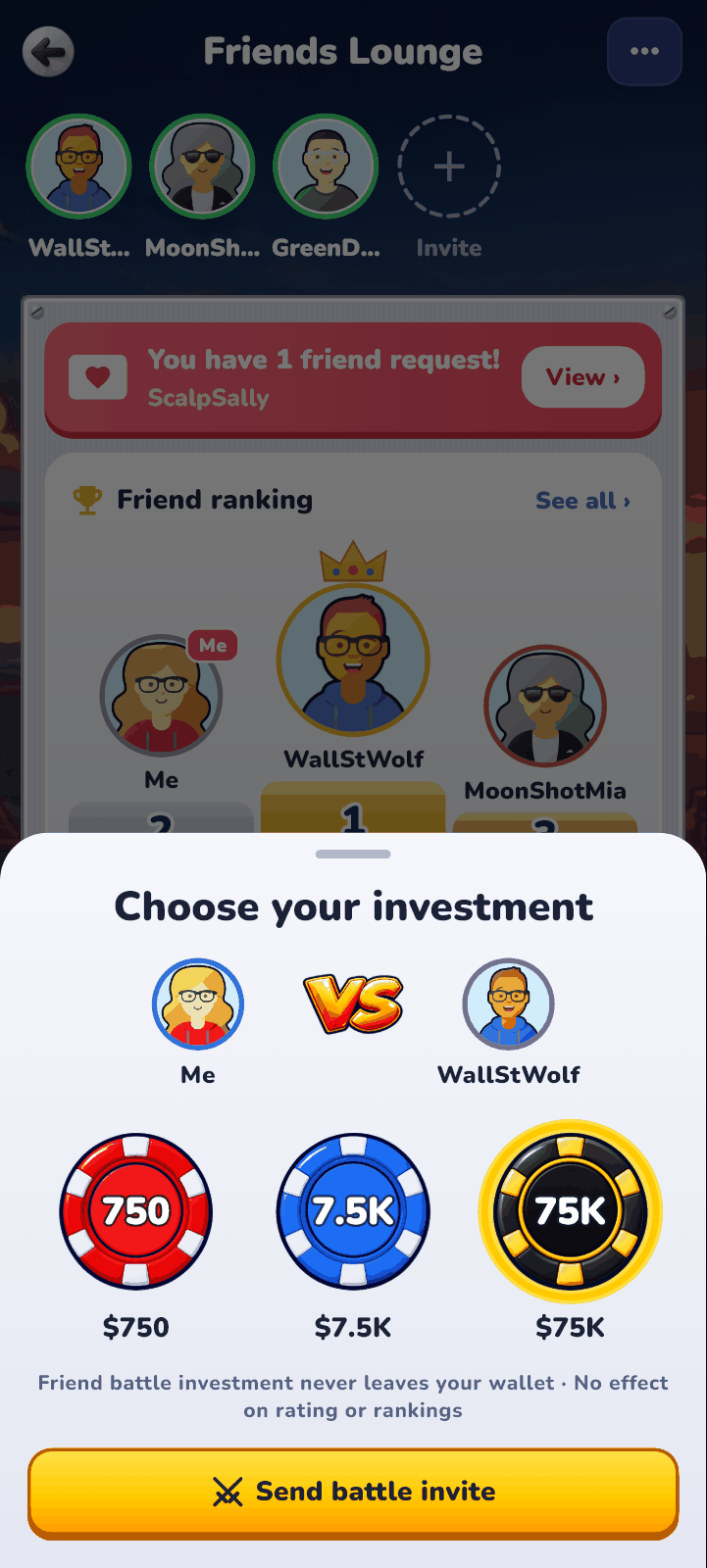
In the friends list, tap “Battle” on your friend’s row.
-
Pick a level in “Choose your investment”. You can choose any level your tier has unlocked, and the investment does not leave your wallet.
-
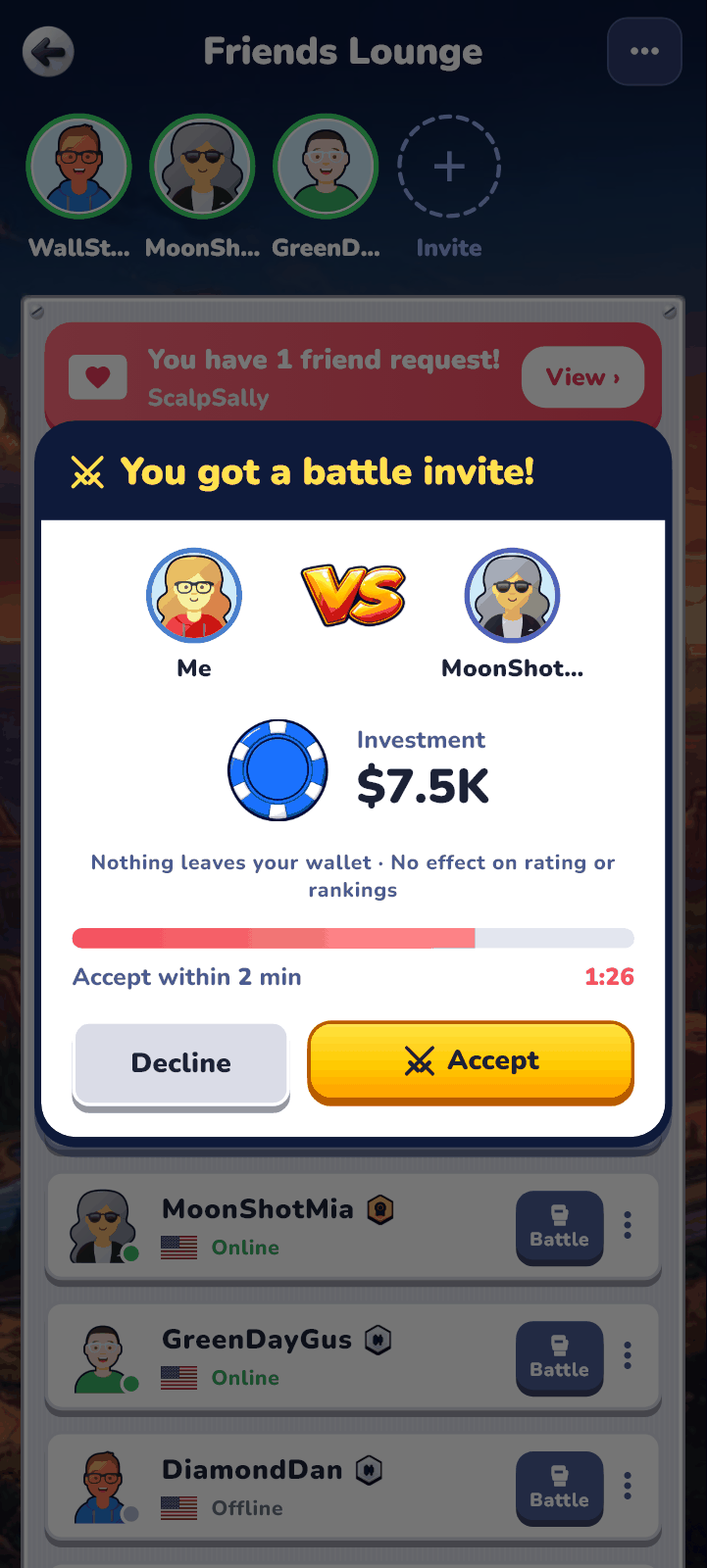
Tap “Send battle invite” and your friend gets an invite. The match starts as soon as they tap “Accept” within 2 minutes.
-
When the match ends, you play again with the same investment if both of you tap “Play again!” within 30 seconds.
Friend ranking
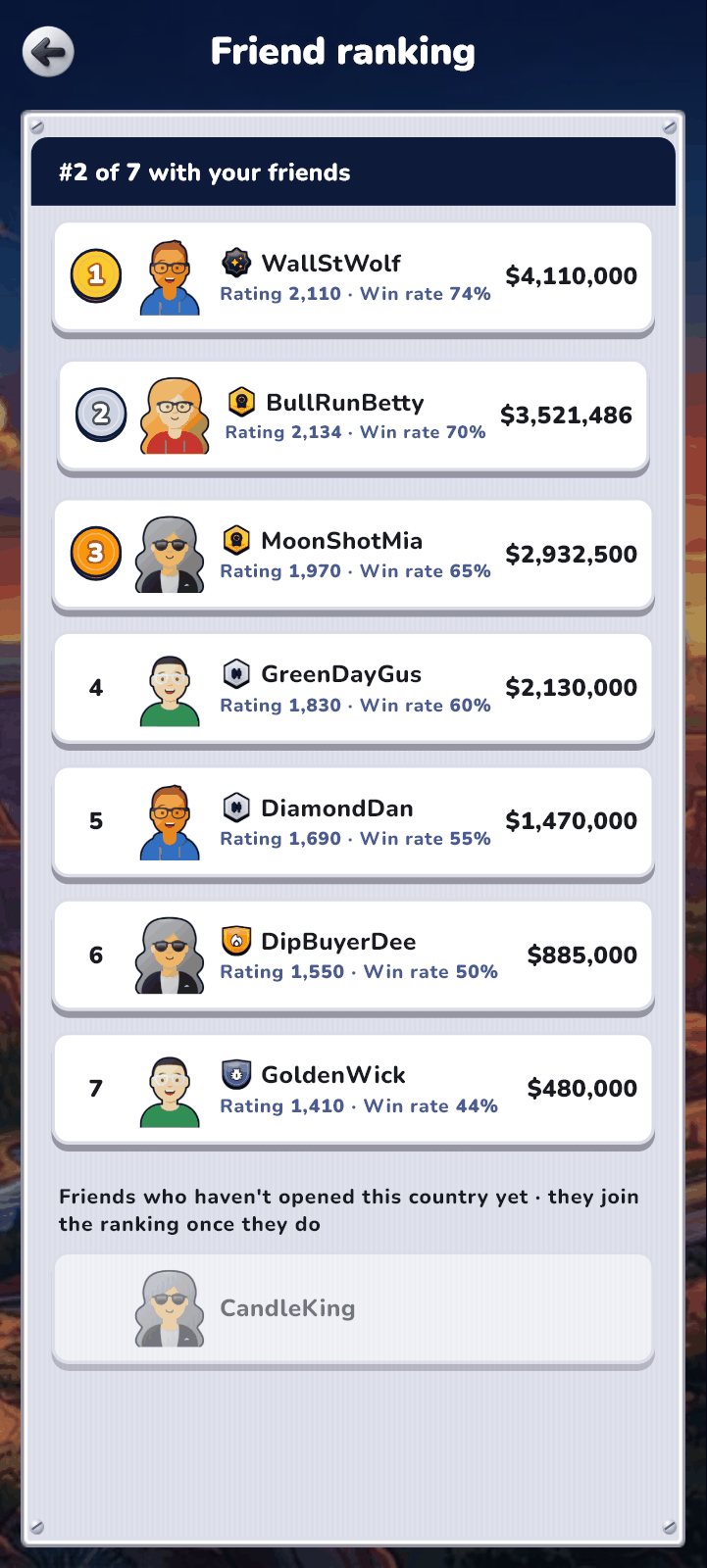
- Ranks you and your friends by ranking value in your current country. The ranking value is the money you have grown through the game — the same value as on the Leaderboard.
- Each row also shows tier, rating and win rate. Tap “See all” for the full ranking.
- Friends who have not opened this country yet are listed separately below and join the ranking once they open it.
Inviting with a link
Tap “Invite link” to send a link. Friends without an account can play a round right from the link.
- “Play a trial with a friend” — when your friend opens the link, they play one match against you right away, without signing up. The link works once, and it ends if nobody opens it within 30 minutes.
- A trial match together uses the fixed 1M investment level, and its result is not saved anywhere.
- After the match your friend sees a button to sign up and become your friend. If they sign up and accept the terms within 7 days, you become friends at once.
- “Send a solo trial link” — sends a link for trying one match alone, without signing up.
Online status and notifications
- The “Online” mark in the friends list shows which friends are in the game now.
- Friend requests, accepted requests and match invites also arrive as phone notifications.
- Friends who have been away get a notification that you are online — only if they have not been in for over 24 hours, at most once a day, and never between 21:00 and 8:00 local time.
- If you do not want to send this notification, turn off “Let friends know when I'm online” in Settings › Notifications.
Guests trying the game without an account cannot add friends or play friend matches. They can play one match through a trial link a friend sent.