
The match screen
What each part of the match screen shows, in numbered order.
Contents The match screen
- How a match works
- Tiers
- Menus
- The match screen
- Settlement
- Shop
- Get started
Portrait
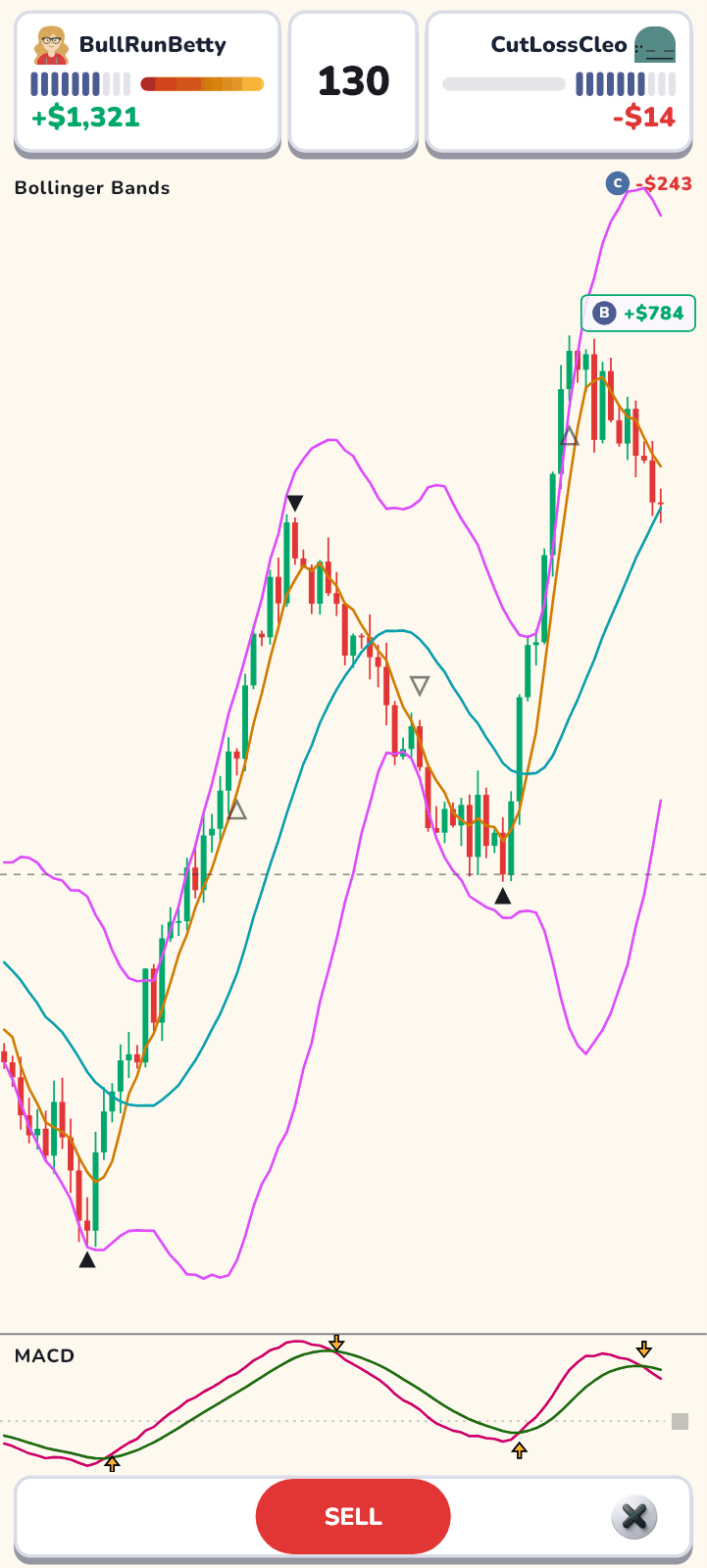
Landscape
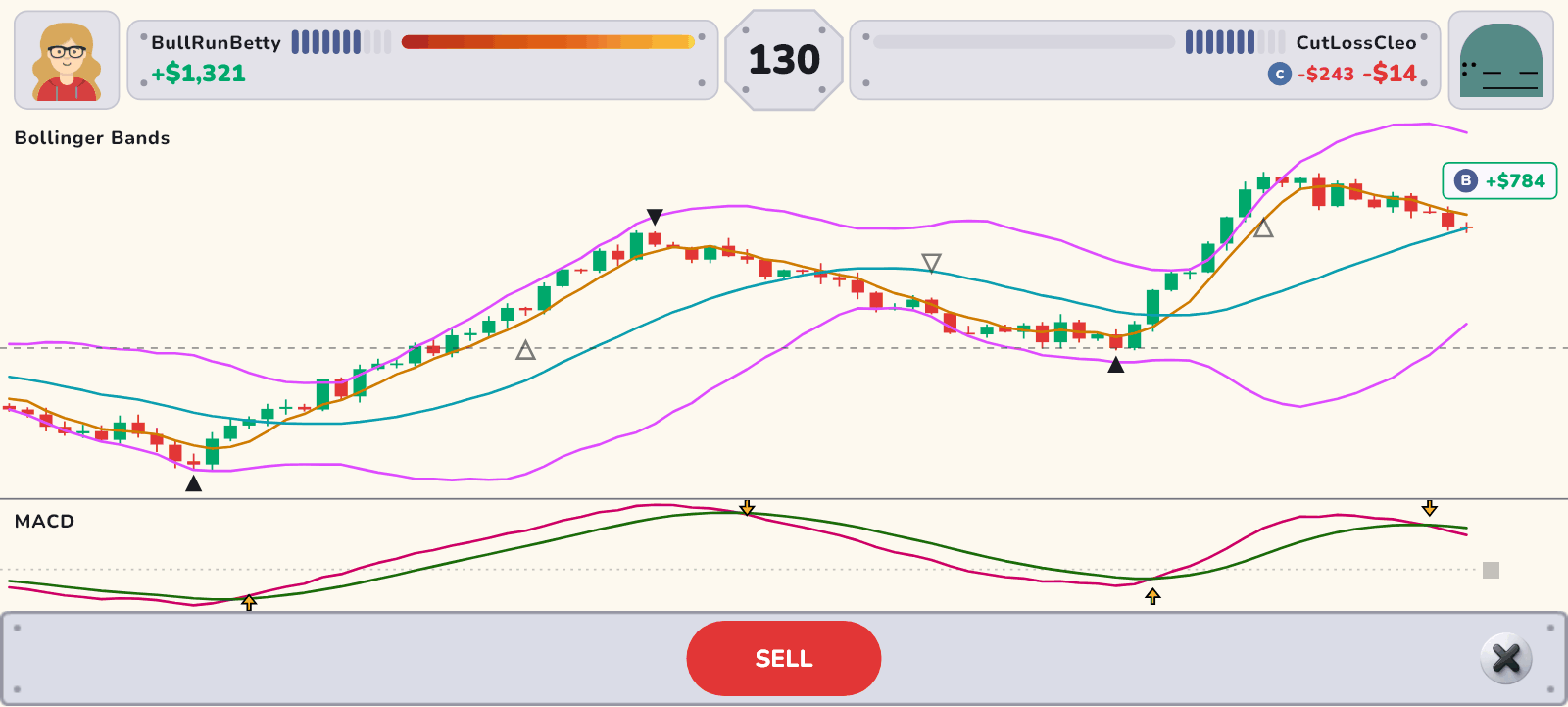
Each number points to the same part in both views.
Parts of the screen
- Your panel
Your face and name, the trades you have left (bullets — the filled slots are what remains, and one empties with every buy or sell) and the profit or loss you have locked in by selling.
- Candles left
The octagon. It counts down the remaining candles like a timer.
- Rival’s panel
Your rival’s face and name, bullets (trades left) and locked-in result, laid out the same way as yours.
- Gauges
The gauges in the two panels only extend toward whoever is ahead right now. They calculate the unrealized result of shares held after a buy in real time, so they show who is really in front.
- Live profit/loss
The live result of your latest buy. When you sell, it becomes locked in. Your live result appears near the newest candle — above it for a profit, below it for a loss. Your rival’s live result appears next to their locked-in result in landscape, and in the chart area under their panel in portrait.
- Chart
Candles are added one at a time. The marks below show where trades were made.
- Where you bought
- Where your rival bought
- Where you sold
- Where your rival sold
- Your buy price (while you hold)
- Equipped weapons
Indicators you equipped in Weapons are drawn on the chart or in indicator panels under it. If you own Markers, buy and sell signals appear as arrows in the indicator panels.
- BUY / SELL button
Each press switches between buying and selling. BUY is green and SELL is red, matching the candle colors.
- Exit
Leaving during a Ranked Match counts as a forfeit loss.
- “Skip”
Appears when both players have used all their trades and enough candles are left. Whoever presses it first fast-forwards the rest and goes to settlement.