
SDK overview
The ChartFighter SDK is a Flutter package. Place one widget on a screen and the whole game, from the lobby to settlement, runs inside your mobile app (Android · iOS).
One widget, the whole game
Place a single ChartFighterGame and the flow below just works. When a match ends, «one more match» follows right away, and you have no screens to build.
1. Lobby
The start screen, leading to Ranked Match, Practice Match, leaderboards, the shop and the airport
2. Matchmaking
Ranked Match: pick an investment and wait for an opponent. Practice Match: pick a bot yourself
3. Get ready
Read the trend from the first 60 candles for 5 seconds
4. Match
Buy and sell up to 10 times while 240 candles play
5. Settlement
Profit and rating are settled and the stock is revealed
A separate widget, ChartFighterTrial, handles the try-before-sign-up experience: pick a country, play a match right away, then go on to sign up.
A few screens
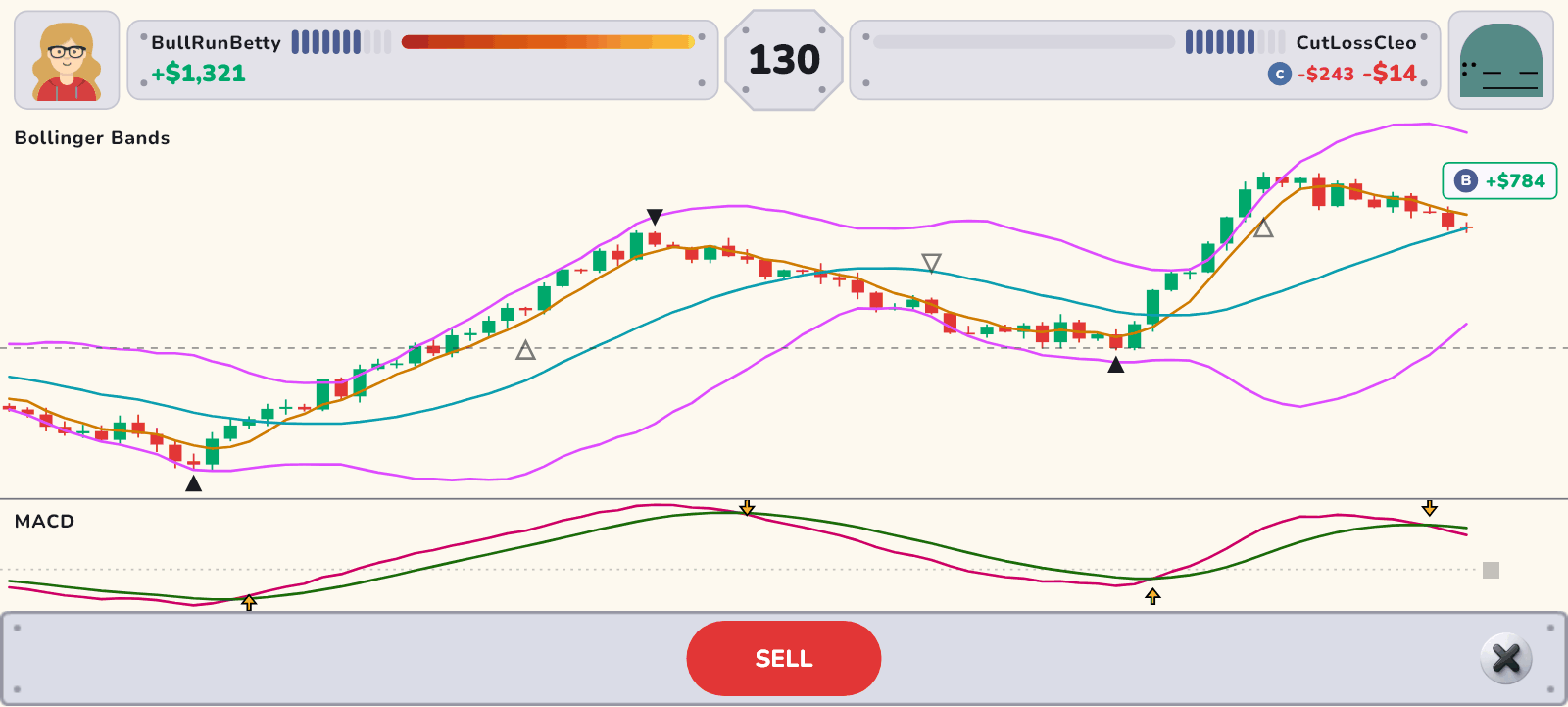
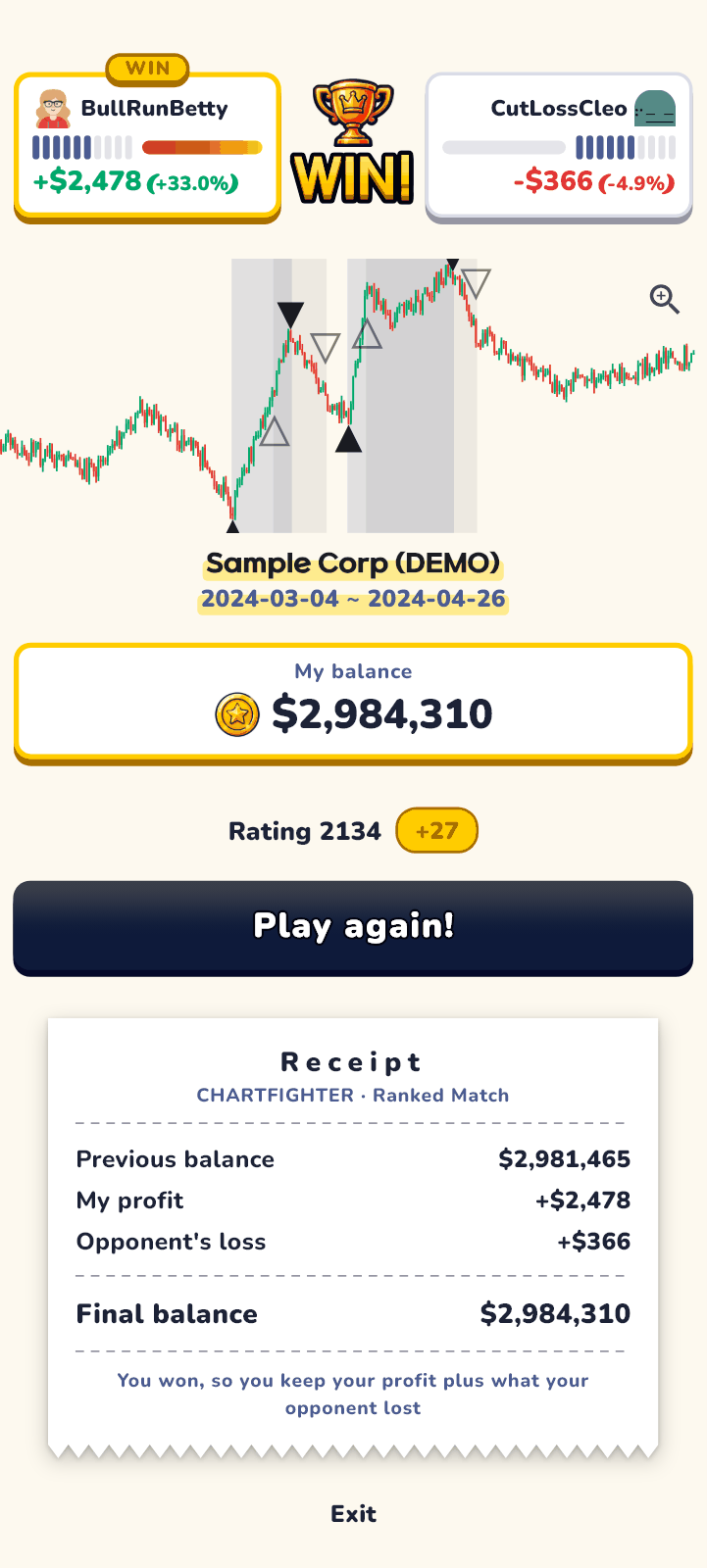
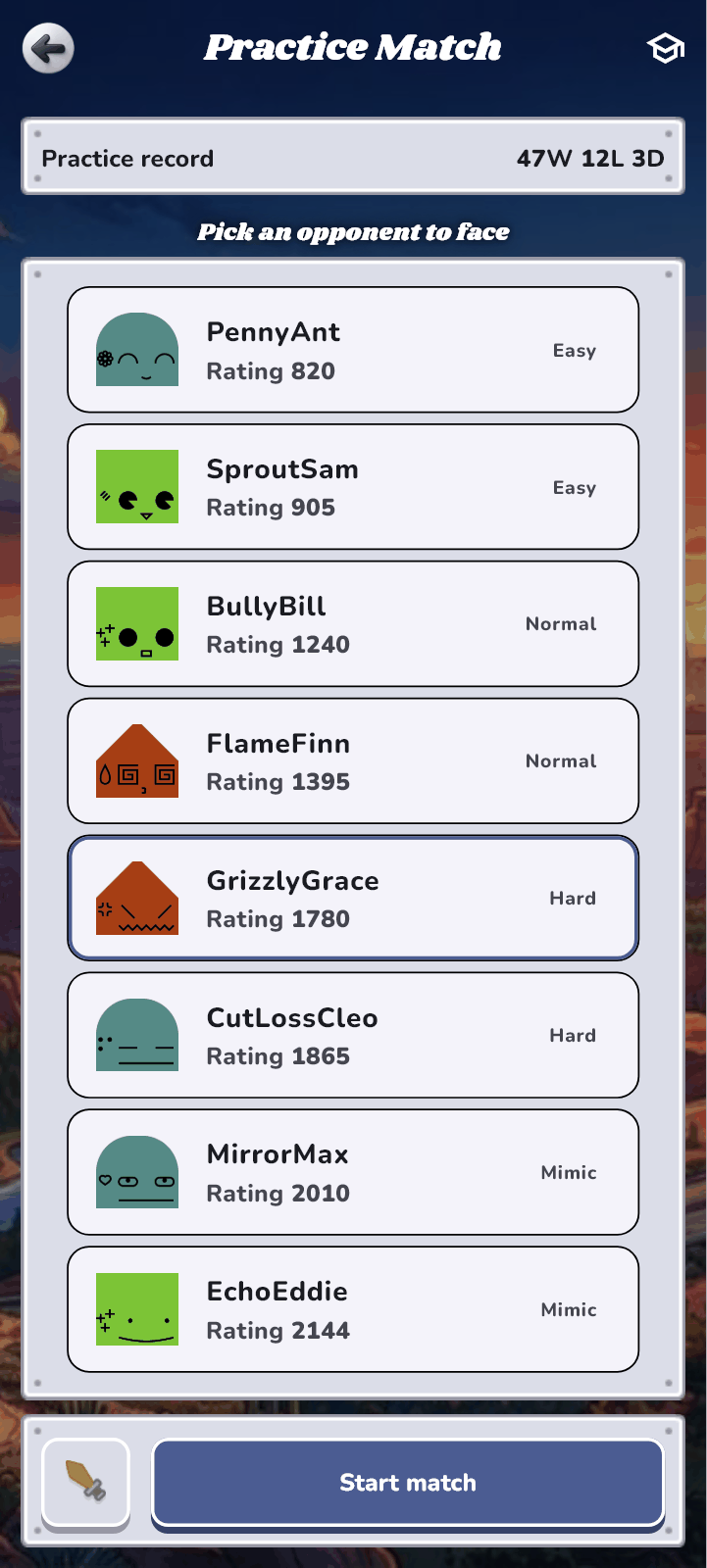
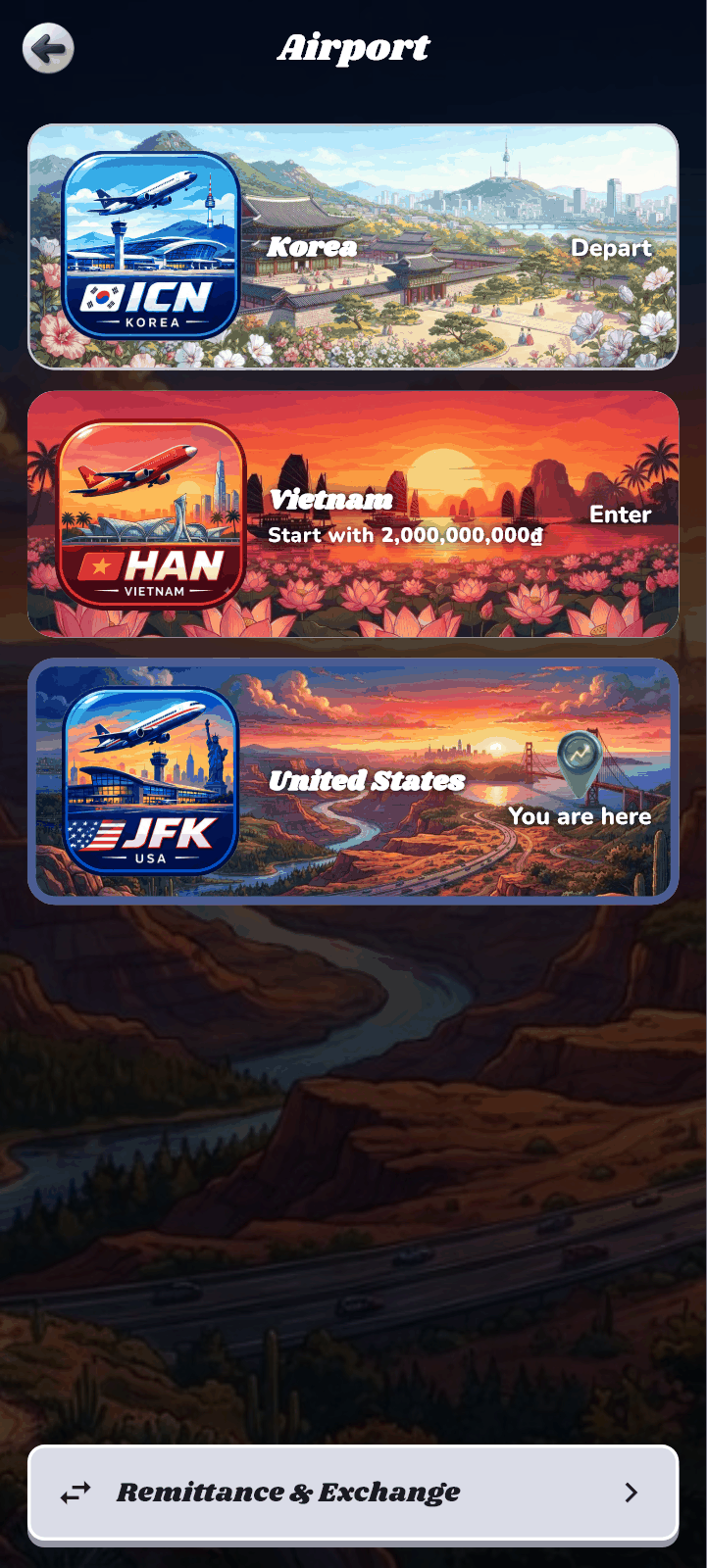
18 ready-made screens
These are the screens ChartFighterGame uses inside. If you need to, you can also take them one by one into your own screen flow.
| Widget | What it does |
|---|---|
LobbyScreen | Lobby — the game’s start screen |
BetTierSheet | Ranked Match: choosing the investment |
QueueScreen | Ranked Match: waiting for an opponent |
OpponentSelectScreen | Practice Match: choosing an opponent (bots by difficulty) |
MatchScreen | Match screen — chart, indicators and the trade button |
ResultScreen | Settlement screen |
LoadoutScreen | Choosing weapons (indicators) |
MyProfileScreen | My profile and record |
AvatarEditorScreen | Making a face (avatar) |
PlayerCardSheet | Another player’s info card |
LeaderboardScreen | Leaderboards |
ShopScreen | Shop |
ShopTransactionsSheet | Shop transaction history |
InventoryScreen | Inventory |
AirportScreen | Airport — moving to another country |
ImmigrationScreen | Immigration — opening a new country |
RemittanceScreen | Remittance — sending game money between countries |
AppInstallSheet | App install guide (QR · store links) — web builds only |
Building your own screens — the lower-level API
If you would rather build the screens yourself, use the pure Dart lower-level API. It does not force any particular state management library on you.
| Name | What it does |
|---|---|
MatchControllerMatchSnapshot | Folds the live matchmaking, match and settlement events into a state machine and hands your screen a single state to draw |
ChartFighterClient | HTTP and real-time socket transport. Keep one per app and share it with the game |
LeaderboardApiShopApiPracticeApiRegionsApiRemittanceApi | APIs for each server feature: leaderboards, shop, practice matches, countries, remittance and more |
CandleChartIndicatorPanelReviewChart | Widgets for the match chart, indicator panels and the review chart |
evaluateCandleIndicatorInstanceManager | The engine that computes, candle by candle, the indicator definitions sent by the server |
Two ways to sign in
| Mode | When to use it |
|---|---|
ChartFighterAuth.token | You supply the SDK with a token obtained through your own account system. How your accounts are linked to ChartFighter accounts is agreed together when we discuss adoption. |
ChartFighterAuth.builtIn | The SDK handles email and social sign-in, token storage (the device’s secure storage) and automatic refresh. Choose it if you have no account system or want to use ChartFighter accounts as they are. |
Languages, countries, platforms
3 screen languages
Korean, English and Vietnamese. On devices set to a language we do not support, the game shows English.
3 countries
Korea KOSPI·KOSDAQ / Vietnam HOSE·HNX / United States NASDAQ·NYSE. Each country has its own market, currency, wallet and inventory.
Travel and remittance
Players can fly to another country at the airport, and once they have opened two or more countries they can send game money between them. The server converts the amount at each country’s real exchange rate.
Platforms
Android and iOS apps. On the web, connect to the ChartFighter web game with a link partnership rather than the SDK.
What you decide
You decide the identity inside the game screens and the places where the game connects to the rest of your app.
| Name | What you decide |
|---|---|
ChartFighterBranding | Logo, brand color and product name, lobby card and country artwork, button icons and panel artwork, tier badges and avatar artwork, the number font, the «Learn more» link on the Ranked Match card (your page address) |
ChartFighterTypography | The text style of the lobby cards |
onExitonOpenSettingsonSessionReplaced | Closing the game, opening your settings screen, and what happens when the same account signs in on another device |
onTravel | Travel — your app switches the connection to the country the player picked at the airport |
onSoundonMusiconMatchActiveaudioToggles | Sound effects and background music — the SDK only says «when», and your app decides what to play |
onOpenUrl | Opening external links — «Learn more» on the Ranked Match card hands your page address to this callback. |
Integration documents (installation, per-platform setup, server settings to align, and the full public API) are shared once a formal partnership agreement is signed.
For more details, please contact us at the email address below.